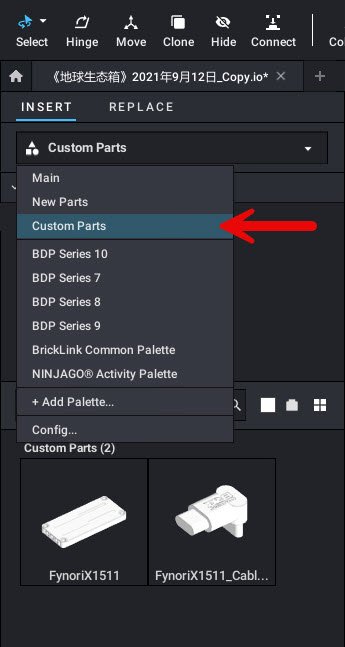
1.Make sure you have LEGO Studio 2.0 installed.
2. Copy the file FynoriX1511.dat to the following directory:
C:\Users\Your Windows system username\AppData\Local\Stud.io\CustomParts\parts
If you cannot find this folder, please go to View > Show > Hidden items in the File Explorer menu.
3. Open LEGO Studio 2.0.
4.On the left panel, under “INSERT”, click the drop-down menu and select “Custom Parts”.
5. In the panel below, you will see the icon for the FynoriX1511 part.
6. Click the part icon and drag it into the viewport.
You can now use FynoriX1511 in your build.